How it works
How whoisbrowsing works
One script tag sends a few live signals from each visitor's browser. Open your own site and every current visitor is drawn on it, for you only. Nothing is stored.
Step 1
Add one tag
Paste one script tag into your site, or ask your AI agent to do it. Under 4 KB gzipped, loaded with defer, and it never changes how your page looks.
Step 2
Open your site
Click Watch once in your dashboard (in Chrome, being signed in is enough). From then on, just open your own site: the live view is drawn on it, and your own browser is never counted.
Step 3
Watch
Every current visitor appears live: their cursor, their clicks, the page they're on and where they came from. To see it work, open your site in a private window and watch yourself arrive.
What your visitors' browsers send
Your visitors' browsers send the page, pointer position, clicks, scroll, device type, source, browser and operating system, and time on site. Never keystrokes, form values or page text.
The script is one tag, under 4 KB gzipped, loaded with defer after your page. It never changes how your page looks. Query strings and #fragments never leave the browser, and long ID-like codes in a path are sent as :id.
whoisbrowsing adds a general place (city or region) from the connection. The IP address is never stored or shown.
| Signal | What it is |
|---|---|
| The page | Its address without the query string, #fragment or long ID-like codes |
| Pointer and clicks | Where the pointer is and what they click or tap, described by the page elements under it |
| Scroll | How far down the page they are |
| Device type | Desktop, tablet or phone |
| Source | Where they came from: Google, Bing, ChatGPT, Perplexity, Gemini, Copilot, Claude, another site's link, or direct |
| Browser and operating system | For example Chrome on macOS |
| Time on site | How long they have been on the site, and how many pages this visit |
What you see
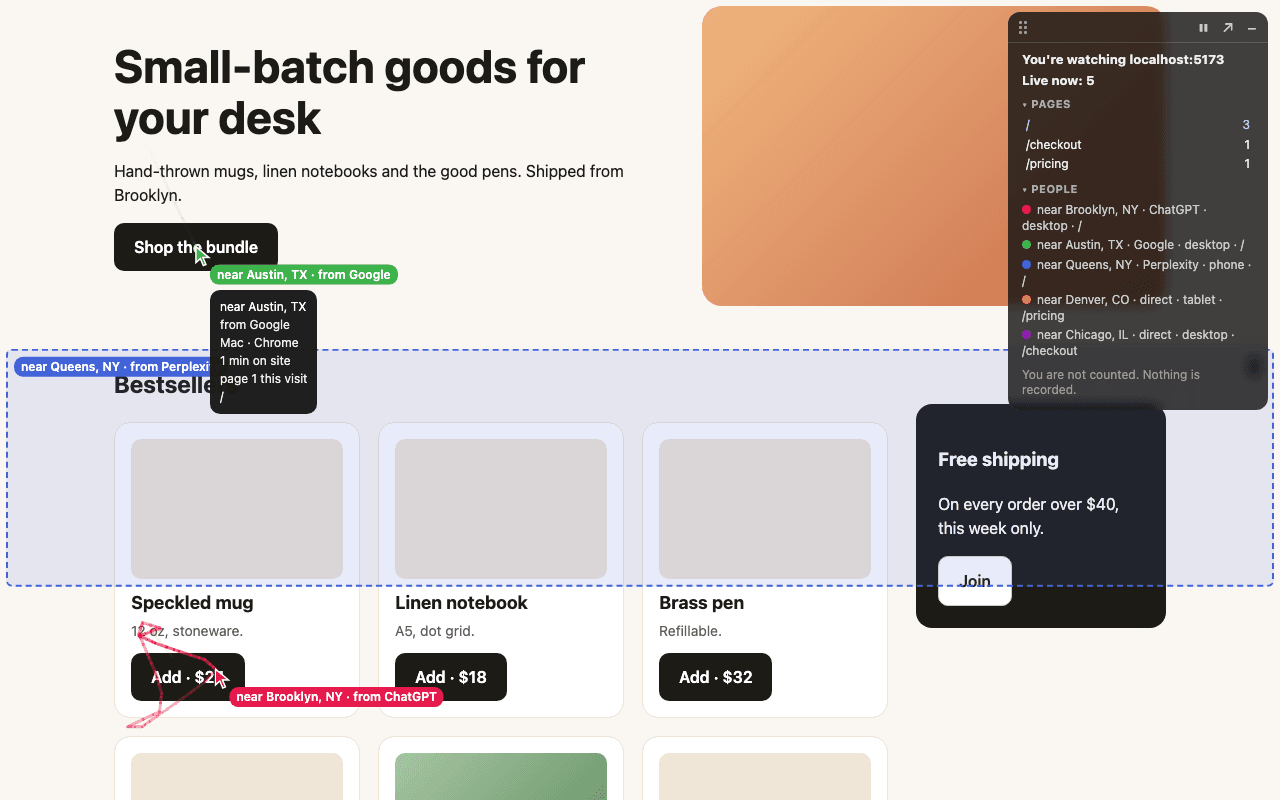
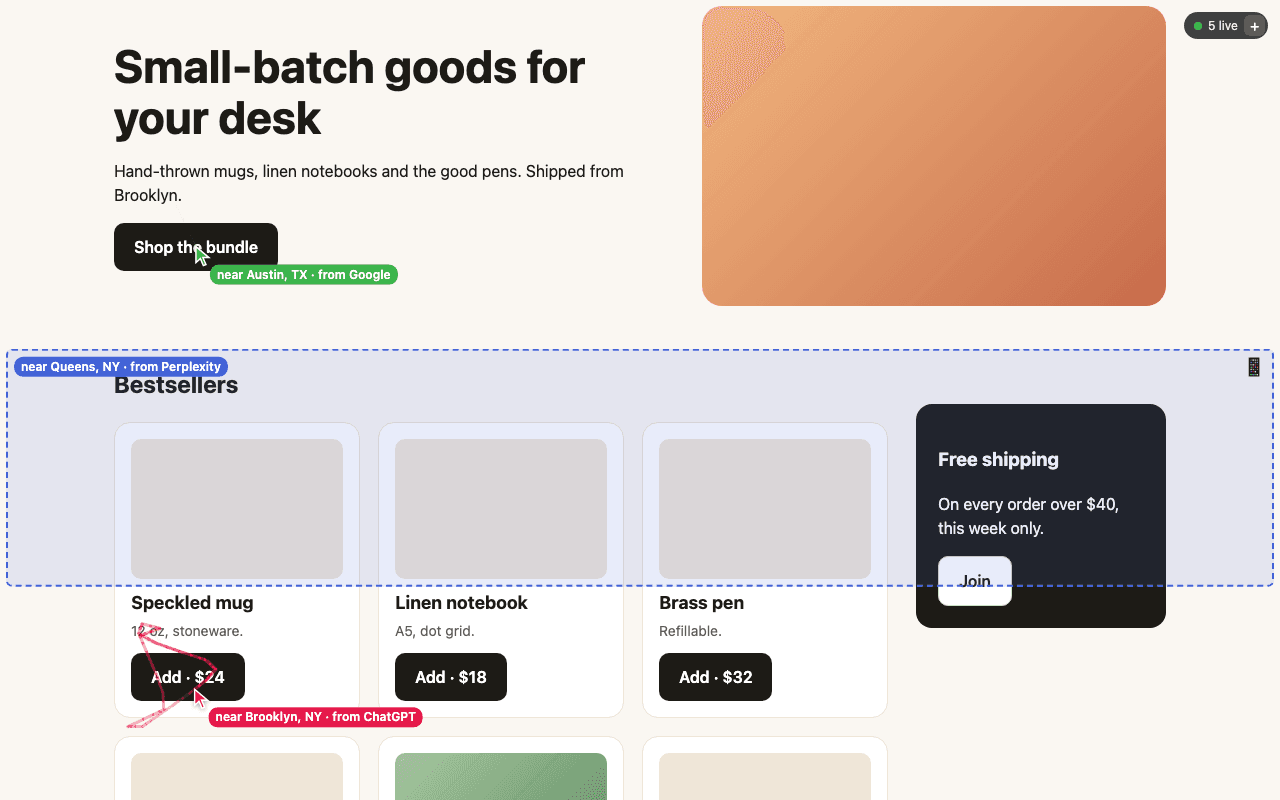
Open your own site and every current visitor is drawn on the real page, live:
- a coloured cursor with a fading trail, and clicks as ripples;
- phone and tablet visitors as a see-through band over the part of the page they're looking at;
- arrows at the edge for visitors scrolled out of view;
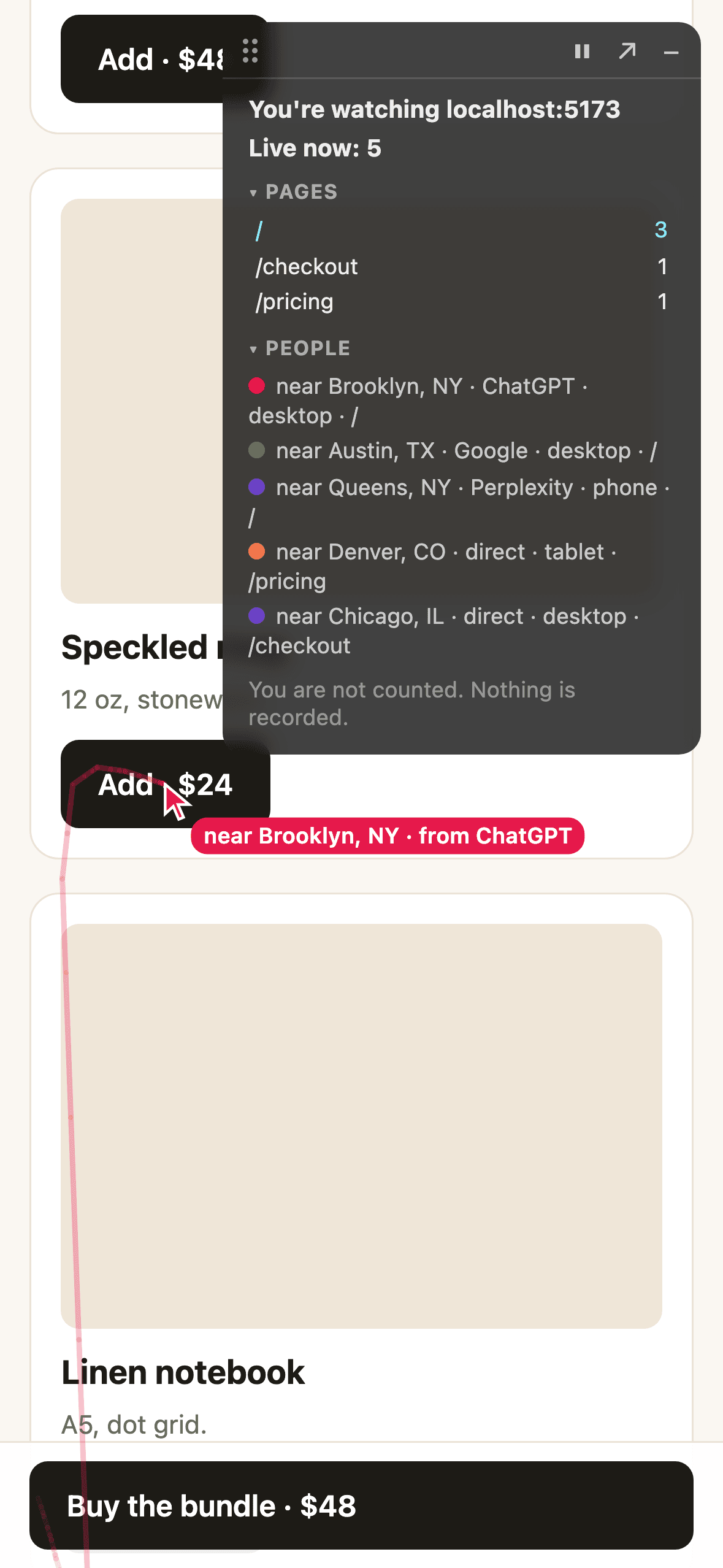
- a side panel with live counts per page, busiest first, and one line per person.
Each line says where someone is and how they got there, such as near Austin, TX · Google · desktop · /. You see an approximate city, never an identity, plus their device, browser, operating system, time on site and pages this visit.
Your view, and only yours
The live view is drawn only for you. Your own browser is never counted, and your visitors never see it.
- Click Watch once in your dashboard, or in Chrome just stay signed in. After that, open your site and the live view is there.
- To test, open your site in a Chrome Incognito or Safari private window. You appear as a normal visitor.
- With your dashboard open, a browser notification tells you when someone new arrives, naming their landing page.
Every website separate
One site in whoisbrowsing can cover several websites, such as localhost:3000 while you build and example.com in production. Each one is separate: localhost and production never mix, and www. is the same website as the bare domain. You watch each one on its own.
Privacy, built in
A live view needs very little, so very little is sent, and none of it is kept. The privacy page has the details and a paragraph to paste into your own privacy policy.
What is sent
Your visitors' browsers send the page, pointer position, clicks, scroll, device type, source, browser and operating system, and time on site. Never keystrokes, form values or page text.
Nothing stored
Nothing about your visitors is stored on our servers.
No cookies
No cookies on your visitors.
Never shown
Visitors from the EU/EEA, UK and Switzerland, and browsers with Global Privacy Control, are never shown.
Or let your AI agent set it up
A coding agent such as Claude Code, Cursor or Codex can do the whole setup with no one signing up first:
- it creates a site with
POST /api/agent/sitesand gets back a site id, the snippet, a watch link and a claim link; - it adds the tag where your stack expects it;
- it hands you the watch link, so you can see yourself live, and the claim link, which keeps the site once you sign in.
Agents can also use the MCP server at https://whoisbrowsing.com/mcp, with the tools create_site, get_install_instructions and check_live.
Using an AI coding agent? Give it this prompt:
Add whoisbrowsing (live visitor view) to this project. Follow https://whoisbrowsing.com/SKILL.md exactly.
See your own cursor appear, then add it to your site
Try the live demo with no account. When you like it, one tag puts it on your site, and you sign in only to keep it.
Free · Under 4 KB · No cookies on visitors · Nothing stored
Who we are
whoisbrowsing is made by Sandeep Arneja LLC. Questions? sandeep.arneja.llc@gmail.com